
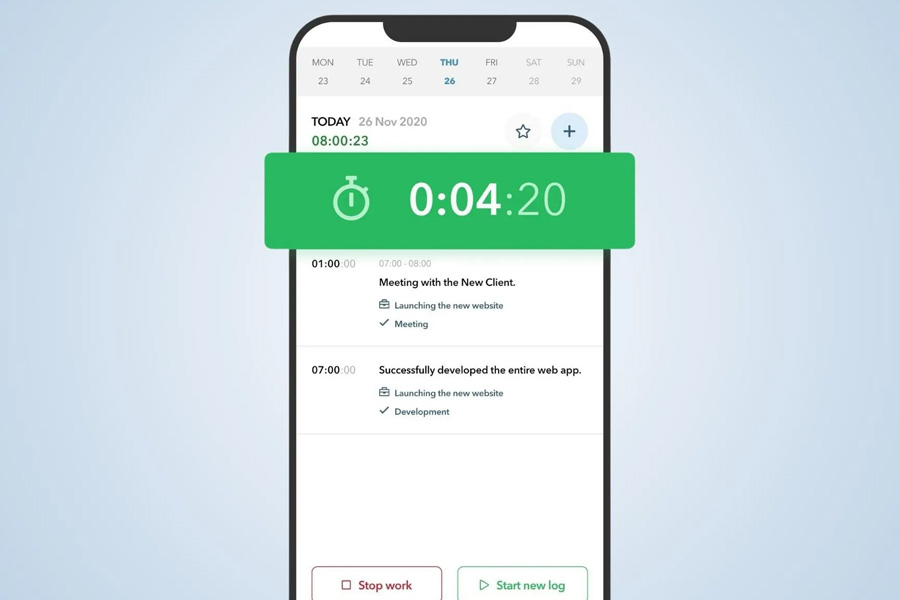
In our mythology of connectivity, we imagine a world blanketed in seamless, high-speed internet. Our free time tracker software, built in the cloud, often reflects this fantasy—assuming a constant, silent handshake with distant servers. Yet for anyone whose work escapes the four walls of a static office, this assumption is a profound design flaw. The reality is one of dead zones, flight modes, and remote sites. This is why Offline Functionality—the ability of a time-tracking tool to operate fully without an internet connection and sync data later—is not a niche feature. It is the unseen backbone of data integrity, professional trust, and operational resilience. It is an acknowledgment that work, like life, frequently happens in the gaps between signals.
The Geography of Disconnection: Where Work Actually Happens
To dismiss offline access is to dismiss entire professions and critical moments of value creation. Consider the landscapes where connectivity fails, yet work thrives:
The Industrial Interior:
Factories, warehouses, hospital basements, and server rooms—places where steel, concrete, and machinery conspire to block cellular signals.
The Mobile Professional:
The consultant on a cross-country train, the salesperson driving through rural territories, the journalist on assignment in a region with spotty infrastructure.
The Focused Retreat:
The writer in a cabin, the programmer on a “no-internet” deep work sprint, the executive on a transoceanic flight—choosing disconnection to foster concentration, yet still needing to account for their billable or productive hours.
The Client-Side Boundary:
Many client sites, especially in high-security finance, government, or R&D facilities, have strict firewalls or prohibit external Wi-Fi access. You are there to deliver expert work, but your tools are locked out.
In these scenarios, an online-only time tracker doesn’t merely become inconvenient; it becomes professionally incapacitating. It tells the user, “Your work here does not count until you can get a signal.” This breeds frustration and forces the creation of makeshift systems—scraps of paper, notes apps, memory—that defeat the entire purpose of a centralized, digital system.
The Psychology of the Uninterrupted Workflow
Beyond the physical reality lies a psychological imperative. The core promise of good time-tracking software is to reduce cognitive load and increase accuracy by capturing time as it happens. An app that fails in a dead zone shatters this promise violently.
Here’s the cognitive chain reaction:
1. You begin work in an offline environment.
2. You open your time-tracking app to start a timer. It displays an error, a blank screen, or a frozen interface.
3. You now must: A) Remember to track manually elsewhere, B) Remember to log the time later (knowing your recall will be flawed), or C) Abandon tracking for that period entirely.
4. Your focus is broken, your trust in the tool is eroded, and the data’s fate is left to chance.
Offline functionality preserves the sanctity of the workflow. It allows the user to maintain their ritual: start timer, do work, stop timer. The lack of a network becomes a silent technical detail, not a show-stopping crisis. The user’s mental model remains intact: “This tool works where I work.”
The Technical Hallmarks of True Offline Resilience
A simple “you can still open the app” is not enough. True offline functionality is a sophisticated engineering commitment that must encompass:
| Feature | What It Does | Why It Matters |
| Local Data Storage | All core data (projects, tasks, client lists, rate cards) is stored directly on the device. | You can’t just start a timer; you must be able to assign it to the correct project and client from your existing lists. |
| Full CRUD Operations | You can Create, Read, Update, and Delete time entries, timers, and project details offline. | It’s not a read-only snapshot. You can edit a mistakenly long timer, add notes, or create a new client entry on the fly. |
| Robust Conflict Resolution | When the device reconnects and two edits collide (e.g., you edited an entry on your phone offline while a colleague edited it on the web), the system has clear, fair rules to merge or prioritize changes. | This prevents data loss and confusion, the silent killers of team trust in a shared system. |
| Background Sync Queuing | Changes are neatly queued and automatically sent the moment any network (Wi-Fi or cellular) is detected, without user prompting. | The user should not have to remember to “press sync.” The tool should discreetly handle its own housekeeping upon reconnection. |
| Storage & Sync Alerts | Gentle notifications: “15 entries synced successfully,” or “Your offline storage is 80% full.” | Provides transparency and prevents unexpected data bottlenecks or losses. |
The Strategic Advantage: Trust, Compliance, and Complete Data
For business leaders, investing in a tool with robust offline capabilities is a strategic decision with tangible returns:
Unbreakable Trust with Mobile Teams:
For field service, construction, or logistics teams, providing a tool that works reliably in a tunnel or a remote wind farm demonstrates respect for their real-world conditions. This boosts adoption and ensures you get accurate data from the front lines.
Guaranteed Compliance and Billing Integrity:
In billable environments, missing time is lost revenue. Offline access ensures that every client meeting, every site visit, every minute of travel is captured, guaranteeing you can invoice for all work performed. It closes the compliance gap forced by connectivity.
The Complete Data Set for Analytics:
Your reports and profitability analyses are only as good as your data. If data from disconnected work is missing or approximated, your analytics are fundamentally skewed. Offline sync ensures your business intelligence reflects 100% of effort, not just the 80% that happened online.
Beyond Crisis Management: The Unexpected Synergy
Interestingly, offline functionality often enhances the product in unexpected ways, even for users with perfect Wi-Fi.
Perceived Performance:
Because data is stored locally, apps with strong offline capabilities often feel lightning-fast. There’s no lag waiting for server responses for every button click; the interface is immediate and responsive.
Battery Efficiency:
Constantly polling a server for updates or maintaining a live connection is a drain on mobile batteries. An app designed to work offline can be more efficient, syncing in efficient bursts rather than a constant, power-hungry stream.
Data Sovereignty & Security:
For highly sensitive work, some users may intentionally go offline. The ability to work entirely locally, then sync to a private, secure server of their choice at a designated time, can be a critical security and privacy feature.
The Ultimate Test: The Invisible Feature
The hallmark of excellent offline functionality is that the user doesn’t have to think about it. They don’t need to check their signal bars before starting a timer. They don’t need to navigate to a special “offline mode.” The tool simply works, with the same interface, the same buttons, and the same reliability, whether they are in a downtown skyscraper or 30,000 feet over the ocean.
This reliability builds something more valuable than data: it builds dependability. The tool transitions from being a fair-weather friend to a trusted piece of professional equipment, as reliable as a quality hammer or a calibrated multimeter. It acknowledges the full spectrum of the work environment, from the hyper-connected hub to the intentionally isolated deep work cave.
In a world that often conflates being online with being productive, offline-capable time tracking makes a quiet but revolutionary statement: Productivity is human activity, not network activity. By ensuring the tool is present wherever the person is, it finally aligns technology with the uncontainable, often wonderfully disconnected, reality of meaningful work.